Introducing Integration Feeds in XTM Hub

Ellyn Bouscasse
Senior Product Owner - XTM HUB

Tiffaine Hervy
Software Engineer

Valentin Stern
Senior Software Engineer
-
 Copied!
 -
Copied!
-
Copied!



Getting Data Into OpenCTI Has Never Been This Easy: Introducing Integration Feeds in XTM Hub.
For a long time, discovering and configuring integrations feeds for OpenCTI meant browsing a Notion “ecosystem” page and manually recreating configurations in your own instance. It worked, but it was repetitive, error‑prone, and hard to share.
With XTM Hub and its new integration library, this experience is completely transformed.
The former Notion page listing the OpenCTI ecosystem is now replaced by XTM Hub searchable, filterable catalog of ingestion types and integrations on your favorite platform. You can directly work with:
- CSV feeds
- Connectors
- TAXII feeds
- OpenCTI streams
- Third‑party integrations
TL;DR:
- Easily import and export integration feeds from OpenCTI.
- Library of integrations available to download via XTM Hub.
- No need to pre-provision users when creating an integration feed; they can be created automatically on the fly.
- These features make generating high-quality integration feeds faster, easier, and smarter than ever.
All Integration Types, Unified in XTM Hub
XTM Hub centralizes all major ingestion mechanisms that bring data into (or out of) OpenCTI. Each ingestion type is described, curated, and packaged as a JSON configuration you can reuse, so you no longer have to start from a blank page.
Connectors: Pluggable Integrations for Ingest, Enrich, and Export
Connectors are pluggable components that integrate OpenCTI with external systems. They can ingest data from commercial providers or open sources, enrich existing entities with context such as WHOIS, passive DNS, sandbox or malware information, and export data to other platforms like SIEM, SOAR, or ticketing and case management systems.
With XTM Hub, you discover ready‑to‑use connector configurations built and curated by Filigran and the community. Each connector is described through a JSON configuration that clearly states its purpose and usage. Instead of configuring every connector manually from scratch in OpenCTI, you simply download the corresponding JSON from XTM Hub and import it.
This approach accelerates deployment by moving quickly from “I need a new data source” to “it’s running”. It also reduces configuration errors by relying on reference configurations that are known to work, fosters consistency across development, test, and production environments by reusing the same definitions, and makes knowledge sharing easier.
TAXII Feeds: Standardized Threat Intelligence Ingestion
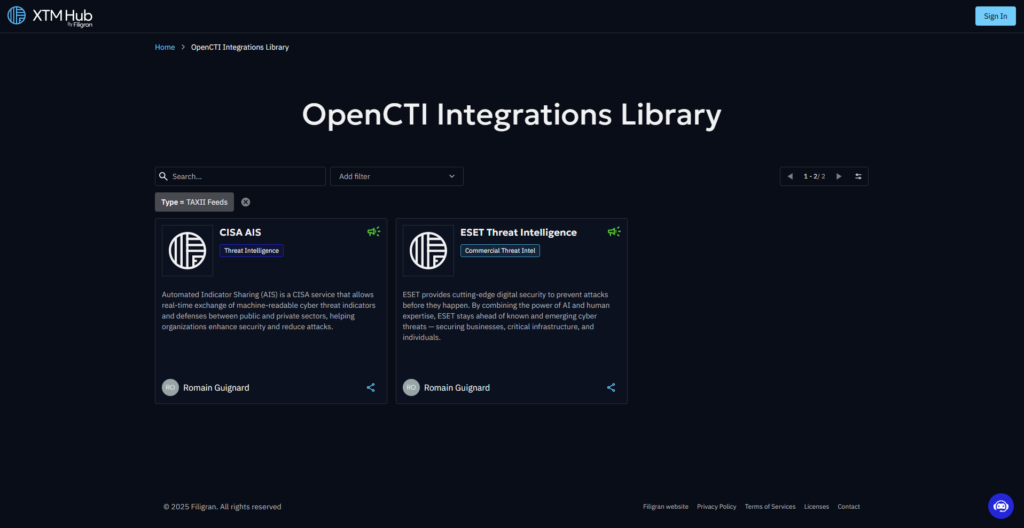
TAXII (Trusted Automated eXchange of Indicator Information) is a standard for distributing STIX‑formatted threat intelligence over HTTP(S). Many CTI providers expose TAXII endpoints to deliver structured, machine‑readable data, and OpenCTI can use TAXII feeds to subscribe to collections of STIX content such as indicators, malware, and campaigns. This allows your platform to stay up to date with ongoing, standardized CTI flows and to integrate seamlessly with public or commercial STIX/TAXII servers.
By extending this model to TAXII feeds, XTM Hub lets you discover curated configurations for a variety of TAXII sources. For each feed, you can download a JSON configuration that already includes the TAXII server URL and API endpoint, the relevant collection names or IDs, and sensible defaults for polling intervals and filters. Once imported into OpenCTI, these configurations behave much like CSV feeds from a user perspective.
As a result, you remove the guesswork from TAXII setup, enable standardized and interoperable CTI ingestion in minutes rather than hours, and normalize TAXII‑sourced data alongside all your other feeds in OpenCTI, where it can be correlated, enriched, and operationalized.
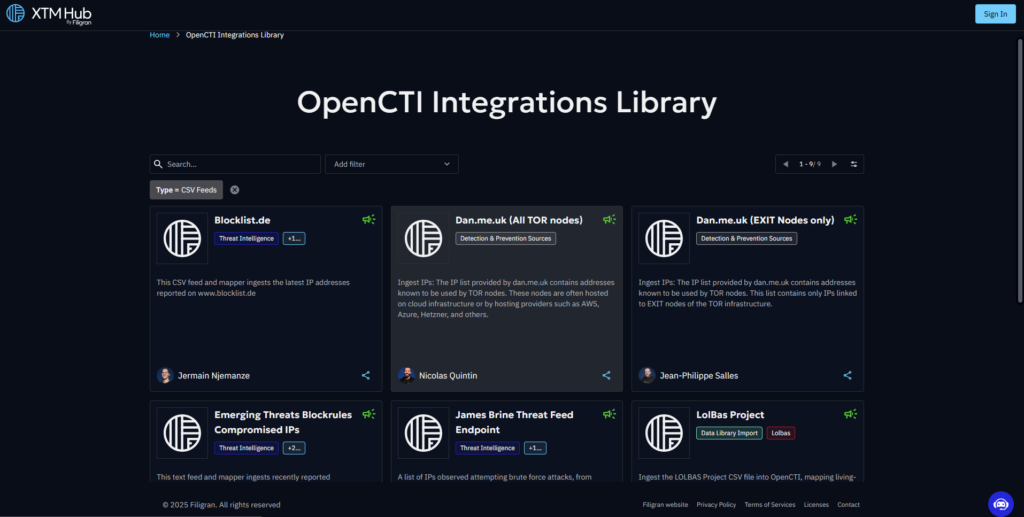
CSV Feeds: Simple, Flexible Batch Ingestion
CSV remains one of the most universal formats for sharing structured data. Many organizations publish CTI, vulnerability, asset, or internal operational data as CSV files, and OpenCTI can leverage CSV feeds whenever data is exposed via HTTP/HTTPS or exported internally in CSV format.
In XTM Hub, CSV feeds are treated as first‑class ingestion types. You can browse a catalog of CSV feed templates tailored to common use cases, then download JSON configurations that already define the source URL or path, the mapping between CSV columns and STIX/OpenCTI entities, the parsing options such as delimiter and encoding, and recommended schedules and filters. After importing the template into OpenCTI, you only need to adapt a few context‑specific parameters.
This turns CSV ingestion from a manual scripting exercise into a repeatable, documented process. You gain a fast, low‑friction route for batch data ingestion, without sacrificing structure or consistency.
OpenCTI Streams: Real‑Time CTI for Real‑Time Operations
OpenCTI streams focus on real‑time, continuous delivery of CTI, pushing updates as they happen instead of relying solely on scheduled polling. In OpenCTI, live streams can deliver STIX data in near real‑time from a source into the platform, support push‑based models such as WebSockets, message queues, or streaming APIs, and power time‑sensitive use cases like SOC monitoring, automated blocking, or live correlation.
XTM Hub extends this paradigm by providing reference configurations for both live data sources and sinks. In the Hub, you can discover live stream definitions, download JSON configurations that describe the relevant stream endpoints, filters, and data formats, and import them into OpenCTI to quickly connect to streaming CTI sources.
This capability means your SOC can react to new indicators or campaigns as they appear, automated systems such as firewalls, SOAR platforms, or detection engines can be updated in near real‑time, and you can combine classic batch feeds (CSV and TAXII) with streaming feeds for a more complete, always‑up‑to‑date CTI picture.
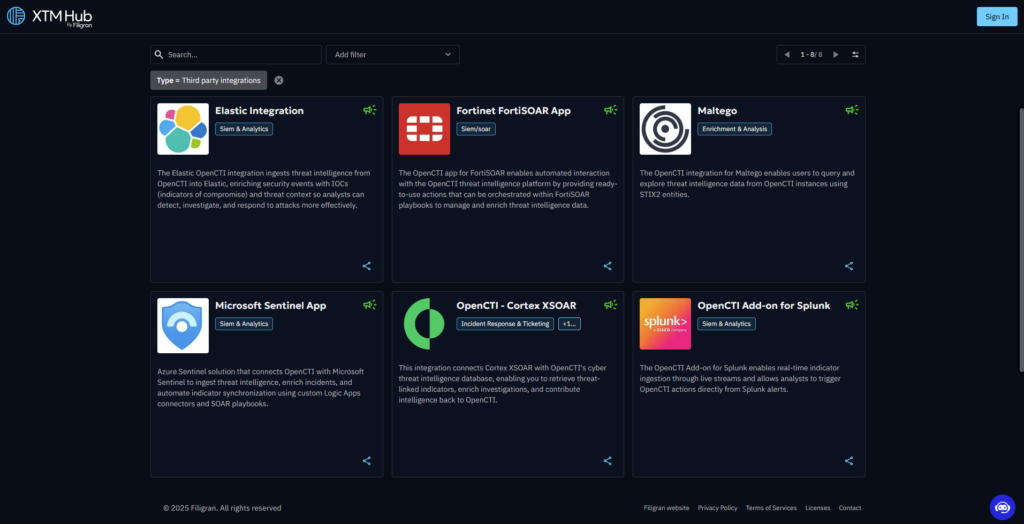
Third‑Party Integrations: Connect Your Ecosystem
Threat intelligence must interact with your broader security and IT ecosystem: SIEM, SOAR, ticketing, vulnerability scanners, case management tools, and more. In this context, third‑party integrations are the connectors, feeds, or configuration packages that link OpenCTI to external platforms, whether uni or bi-directional and whether they focus on ingestion, enrichment, or export.
XTM Hub catalogs these integrations as ready‑to‑use templates for key third‑party tools. Each one is packaged with a clear description of what the integration does, along with a JSON configuration you can download and import directly into OpenCTI, then adapt to your environment.
By using these templates, you can operationalize threat intelligence across your ecosystem, quickly connect OpenCTI to tools your SOC and incident response teams already rely on, and build consistent, repeatable integration patterns across multiple environments and even multiple organizations.
Easy import and export of ingestions in OpenCTI
Beyond the catalog itself, a key evolution is that every ingestion is now portable.
Each ingestion type in XTM Hub includes CSV feeds, connectors, TAXII feeds, live streams, and third-party integrations. They can now be downloaded as a configuration file, imported into OpenCTI, exported back out, deployed in one click in your OpenCTI, and reused, adapted, or shared across environments and teams.
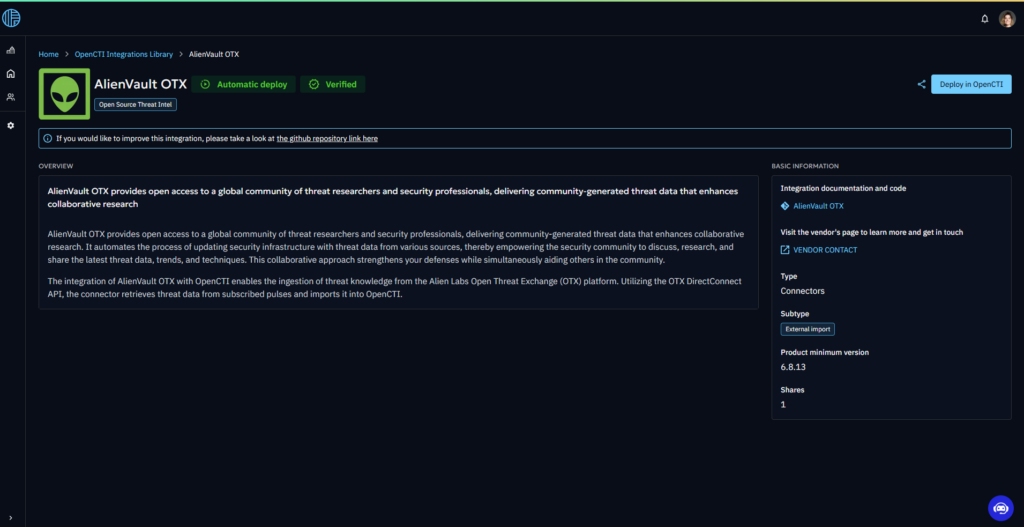
One‑Click import from XTM Hub
When you choose an ingestion in XTM Hub, you can deploy it in one click into your OpenCTI instance (after registering your platform with XTM Hub). OpenCTI then opens the creation panel with all fields already pre‑filled: the ingestion type, technical parameters, mapping logic, schedules, and options. You can also download the JSON configuration and import it manually into OpenCTI.
From there, simply modify any parameters you need to adapt and add authentication data if required (API keys, tokens, credentials). No need to rebuild everything from scratch. You start from a working, documented baseline.
Export and share your own ingestions
OpenCTI now lets you export any ingestion configuration you have created or customized. You can build your own custom ingestion in a test instance, export it as JSON, re‑import it into another OpenCTI instance (for example, from staging to production), and share it with colleagues, partners, or the community.
This is particularly valuable for large organizations with multiple OpenCTI environments, for MSSPs and integrators standardizing deployments for many customers, and for teams who want to turn hard-earned integration experience into reusable patterns. Your integration work becomes a portable asset instead of being locked into a single instance.
High‑quality, curated content for every ingestion type
XTM Hub is not just a technical index; it is a curated content platform.
For each ingestion type, you will find quality‑checked configurations that are directly usable in real environments, along with clear use‑case descriptions explaining what the ingestion does, when to use it, and what data it brings. The catalog can be filtered and searched by ingestion type (CSV, TAXII, connector, live stream, third‑party integration), or by use case (for example, phishing, malware, vulnerability, fraud), and by integration title or keyword.
From there, you can identify the ingestion that fits your need, import it into OpenCTI in one click, and start receiving or exporting data with only minimal adjustments. The goal of the Hub is straightforward: content that is directly usable and easy to access for everyone, so you can focus on using data and building detections and workflows, not wiring up plumbing.
And because you can now also launch OpenCTI Enterprise Edition trials directly from XTM Hub, you can try all these ingestion types and integrations in a trial environment before fully adopting OpenCTI.
Conclusion
With XTM Hub, the old Notion‑based OpenCTI ecosystem list has evolved into a live, curated library of integrations.
All ingestion types; connectors, TAXII feeds, CSV feeds, live streams, and third‑party integrations; are centralized in a single, filterable catalog. Every ingestion can be imported and exported in OpenCTI, making configurations portable, shareable, and reusable. XTM Hub delivers high‑quality, production‑ready content for each ingestion type that can be directly and easily imported into OpenCTI.
On XTM Hub, we are committed to providing high‑quality content, directly usable and easy to access for everyone. And now that you can also start OpenCTI Enterprise Edition trials from XTM Hub, you can experiment with all of this in your trial, then adopt OpenCTI for good once you are ready.
Getting data into OpenCTI has never been this easy, Explore now.
If you have any questions, requests, comment or feedback to share with us, don’t hesitate to join us on Slack! Drop them in the xtm-hub channel.
Read more
Explore related topics and insights