Introducing bulk creation of relationships, entities and observables in OpenCTI


Landry Trebon
Senior Software Engineer
-
 Copied!
 -
 Copied!
 -
 Copied!
OpenCTI offers multiple ways to create relationships, entities and observables. Users can create them manually by filling out a form, or automatically using connectors and CSV mappers. While the manual approach is suitable for adding an object here and there, the automatic method shines when rapidly adding a large number of objects.
However, there are situations where creating a certain number of objects or relationships of the same type quickly is necessary. Manually filling a form multiple times can become tedious, while setting up a CSV mapper is a bit overkill. It is currently possible roughly through the workbenches: create in one go a relation between a single entity and multiple new entities. But this is limited to the context of workbenches and only a few entities and relation types support this feature.
It’s at this moment that bulk creation comes on stage: to tackle the above use case and bring into the platform this functionality.
The goal of bulk creation is to enable the quick creation of objects through simple copy-pasting.
Create multiple IPs linked to an Intrusion Set
To illustrate the bulk creation feature, consider an analyst conducting an investigation into certain attacks. During this investigation, interesting objects are identified, and five new IPs need to be linked to an Intrusion Set already in OpenCTI. Let’s see how to use bulk creation to rapidly create these objects.
Accessing the bulk creation feature
First, navigate to the Knowledge tab of the Intrusion Set to be enriched. From there, an overview of the Intrusion Set knowledge will be visible, but relationships cannot be added directly from this page yet. Click on the Observables option in the right menu. At this step, a button to add relationships is available; clicking on it opens a panel for creating relationships. In the top-right of this panel, there is a “Create relations in bulk” button to access the bulk feature.
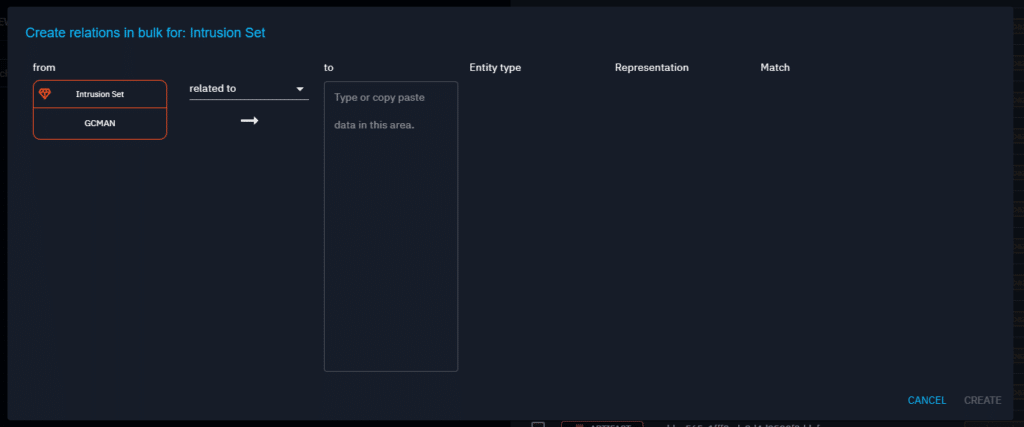
The screen below serves as the entry point to create relationships in bulk:
Copying & pasting data
In the “to” column, paste the IP addresses I want to associate with the Intrusion Set.
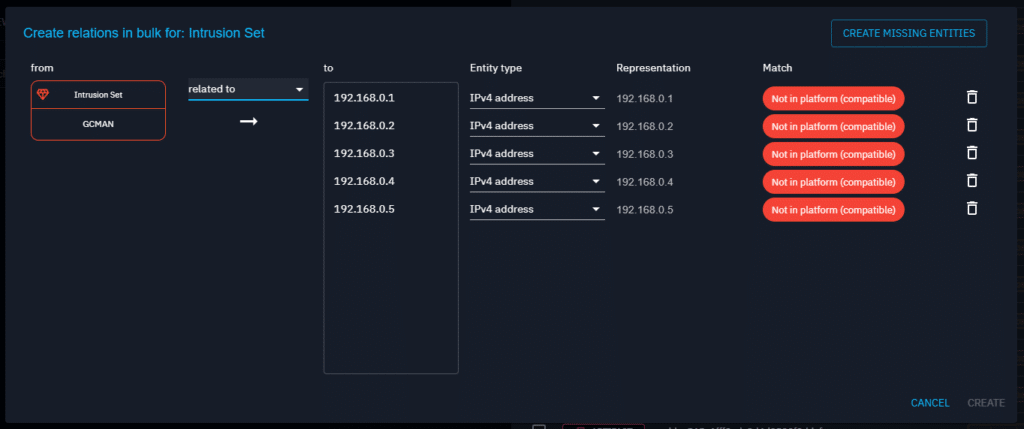
Each line represents a relationship between the Intrusion Set and the pasted IP address. For each, specify the Entity type to IPv4. As indicated in the last column, these elements do not exist in OpenCTI yet, so the next step is to create the missing addresses.
Creating missing elements
In the top-right corner, the “Create missing entities” button that allows to quickly create these IP addresses. Clicking on it opens a form that is pre-filled with the previously pasted IP addresses. Additional information, such as labels or markings, can be added.
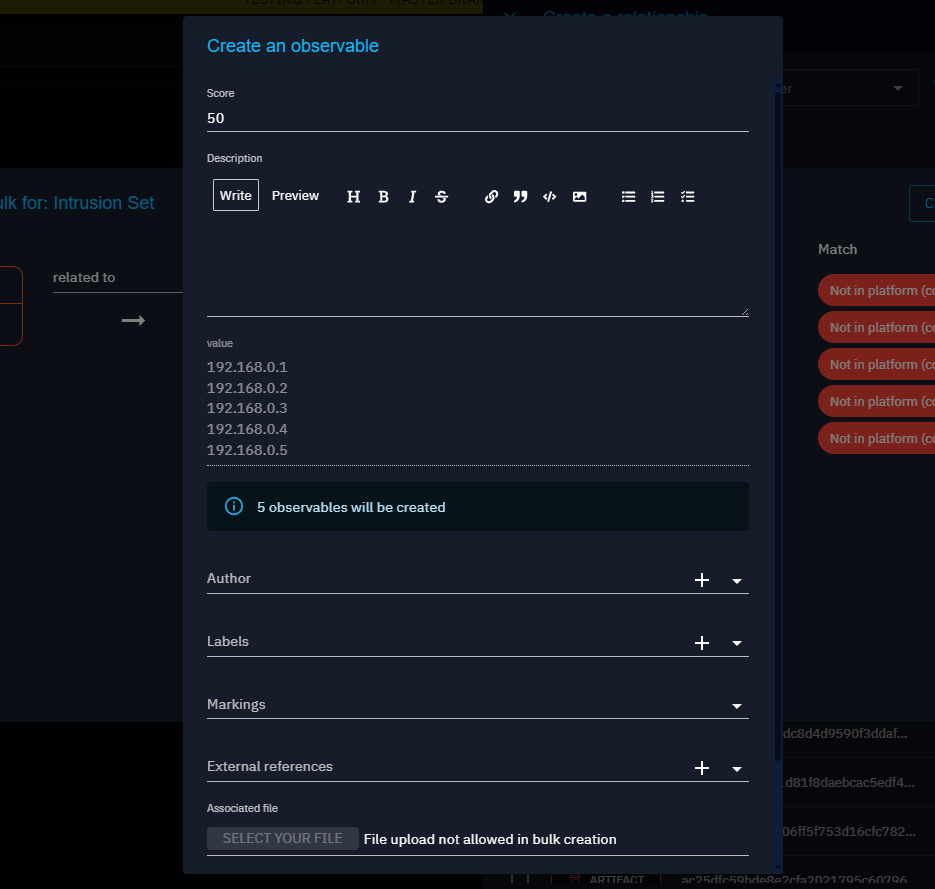
Then, clicking the “Create” button at the bottom of the form.
Note that in this example, there is only one type of objects: IP addresses. In cases with multiple types, a form will need to be filled for each type.
Creating all relationships
After validating the IP addresses creation form, the following page will appear:
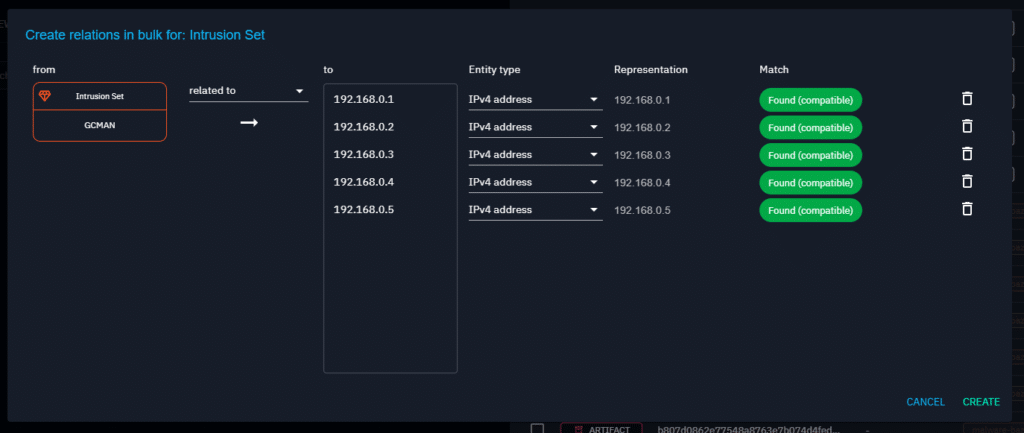
All the IP addresses have been created, and the “Create” button in the top-left corner can be clicked to establish a “related to” relationship between the Intrusion Set and each IP address.
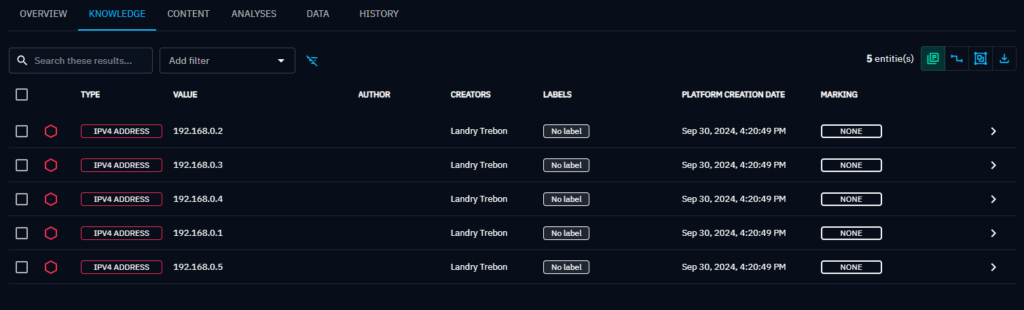
Creating multiple entities or observables
Sometimes, there is a need to create multiple entities or observables without establishing relationships. The bulk feature can be accessed directly within the forms used to create these elements. For instance, multiple malwares can be created by filling out one form using the “Create multiple entities” button on the top-right of the form:
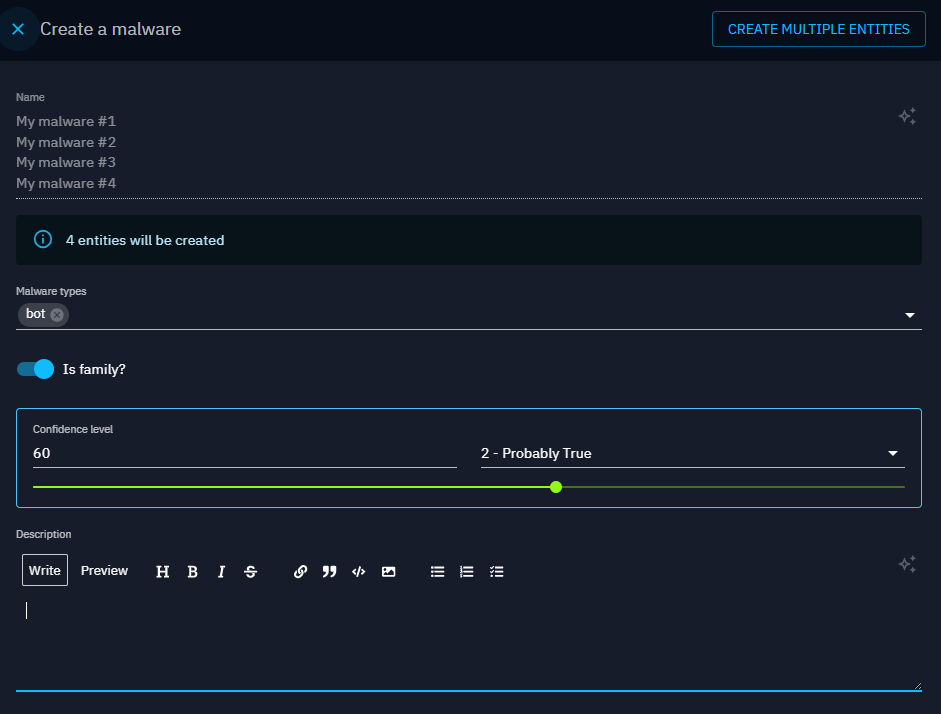
Note that some types of entities or observables are not yet available to bulk creation, but the list will expand in the near future.
Conclusion
OpenCTI’s bulk creation feature bridges the gap between manual and automatic creation of relationships, entities, and observables, improving and streamlining analysts’ daily work.
We hope this article has helped you understand how you can take advantage of this new feature to create new elements effortless and blazing fast.
If you have any question, request, comment or feedback to share with us, don’t hesitate to join us on Slack!
Read more
Explore related topics and insights