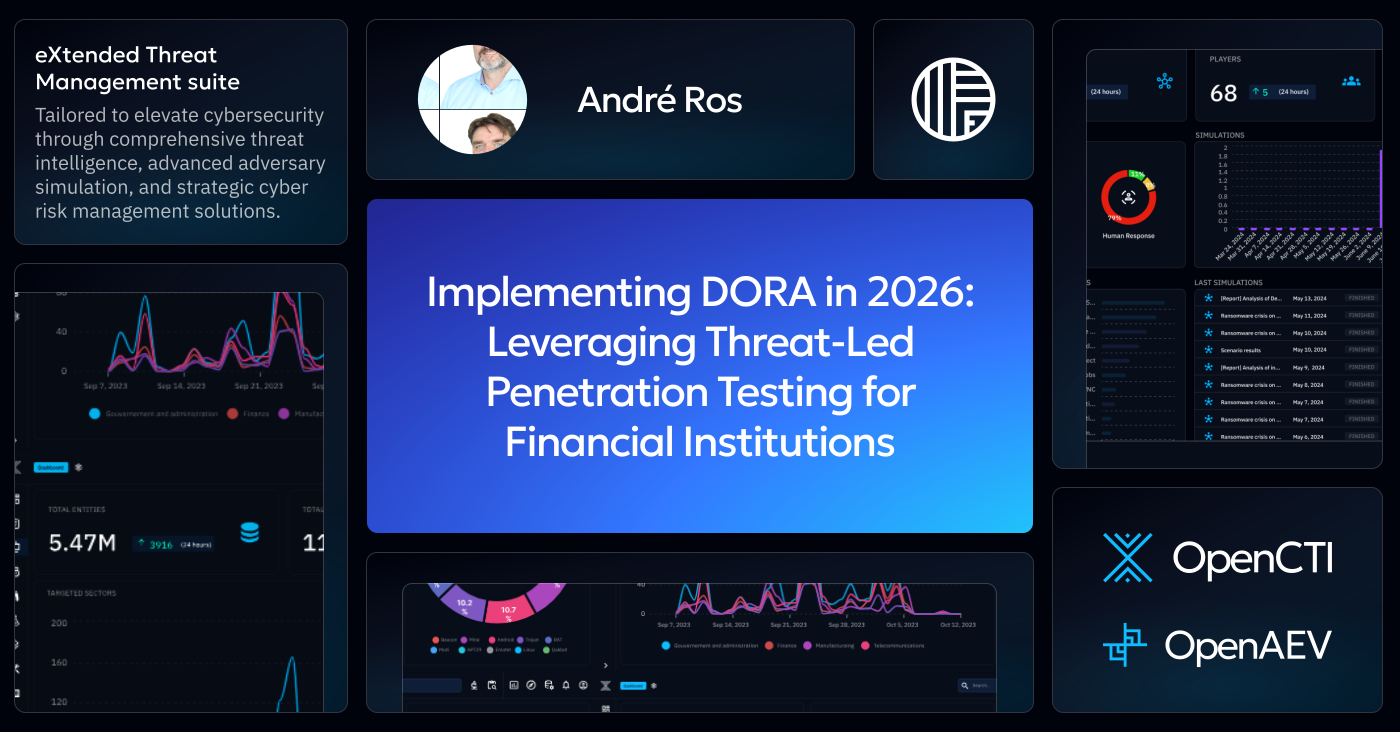
Implementing DORA in 2026: Leveraging Threat-Led Penetration Testing for Financial Institutions

André Ros
Director of GSI Partners EMEA
-
 Copied!
 -
Copied!
-
Copied!



DORA TLPT Is No Longer Theory: For Significant Institutions, It’s Implementation Time.
On 17 January 2025, the Digital Operational Resilience Act (DORA) stopped being a future concern and became reality. With the European Central Bank’s TIBER-EU SSM Implementation Guide published in November 2025, Significant Institutions (SIs) no longer have room to “wait and see” on threat-led penetration testing.
The guide spells it out clearly: under Articles 26 and 27 DORA, identified financial entities must carry out advanced operational resilience testing by means of Threat-Led Penetration Testing (TLPT) at least every three years. For SIs, the European Central Bank (ECB) is the competent authority and TLPT authority under Articles 26 and 46 and is ultimately responsible for making sure those tests are run in line with DORA and its Regulatory Technical Standards.
In plain language: SIs will be tested, on live production systems, by highly qualified external teams, based on real threat intelligence. The ECB will decide whether that test “counts” and whether your organization is learning and improving from it.
The regulation and guidance are now settled. The real challenge is implementation.
This is also where Filigran’s XTM platform – leveraging both OpenCTI and OpenAEV – give SIs a pragmatic way forward.
TL;DR
- DORA is now fully in force, requiring Significant Institutions to run intelligence‑led TLPT at least every three years.
- The ECB’s TIBER‑EU SSM guide clarifies how banks must implement TLPT in practice.
- OpenCTI enables targeted threat intelligence, CIF‑to‑ICT mapping, and long‑term TLPT traceability.
- OpenAEV converts intelligence into executable, safe, repeatable attack scenarios on live systems.
- Together, OpenCTI and OpenAEV help institutions shift from periodic testing to continuous cyber‑resilience.
From Legal Requirement to Practical Challenge
The ECB’s guide neatly separates the world into “what” and “how”. DORA and the Regulatory Technical Standards define what needs to be achieved; the TIBER-EU framework and its SSM implementation guide explain how TLPT should be conducted in practice.
For many banks, the stumbling blocks are remarkably consistent:
- Turning generic cyber threat reports into bank-specific attack scenarios that genuinely reflect the institution’s business model, technology stack and geography.
- Deciding which critical or important functions (CIFs) and underlying ICT – and which cloud and other ICT service providers – actually need to be in scope.
- Avoiding the trap of a one-off “exam” every three years, only to forget the lessons until the next test.
- Producing clear, defensible evidence for the Joint Supervisory Team and TLPT authority: why these scenarios, what was found, what changed as a result.
To implement this without the headache of manual auditing and reporting, various threat-intelligence and exposure management platform are available on the market. However, they need to have the capabilities that enable and simplify the Regulatory Technical Standard without adding yet another dent to your budget.
Tools like OpenCTI and OpenAEV were purpose-built to support threat-informed defense and continuous exposure management, which are the exact capabilities banks and many other financial institutions now need to bring TLPT to life.
Let’s take a look at how each platform can play a key role in implementing TLPT and adhere to DORA requirements.
OpenCTI: Making TLPT Truly Threat-Led and Traceable
OpenCTI is Filigran’s open-source threat intelligence platform, part of the XTM (eXtended Threat Management) suite, which allows organisations to structure, store and analyse both technical and non-technical information about cyber threats in a single knowledge base.
In the context of DORA TLPT, OpenCTI gives SIs three crucial capabilities:
1. A single source of truth for targeted threat intelligence
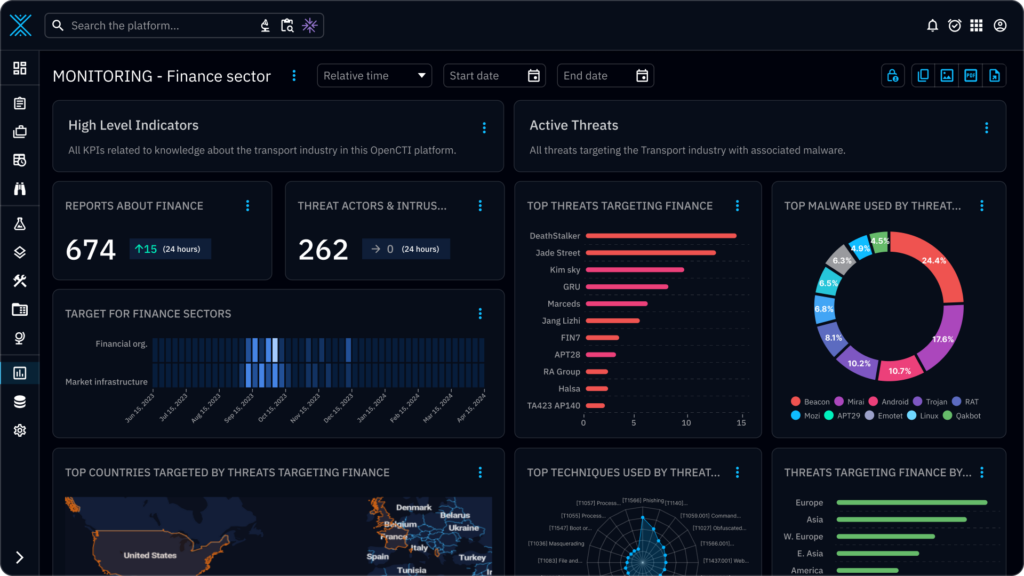
Under the ECB guide, DORA-style TLPT must be intelligence-led: scenarios are supposed to mimic the tactics, techniques and procedures of real actors who pose a genuine threat to the SI’s critical functions.
OpenCTI aggregates threat data from multiple feeds, reports and internal telemetry, and models it as entities and relationships – threat actors, campaigns, malware, vulnerabilities and techniques. That makes it much easier for the external threat-intelligence provider and the bank’s own control team to agree on which actors and scenarios are realistic for this specific SI category in this specific country or region, rather than relying on generic “financial sector” examples.
2. A living map from CIFs to ICT and service providers
DORA and the ECB guide require TLPT to focus on critical or important functions and the systems supporting them, including relevant ICT service providers where appropriate.
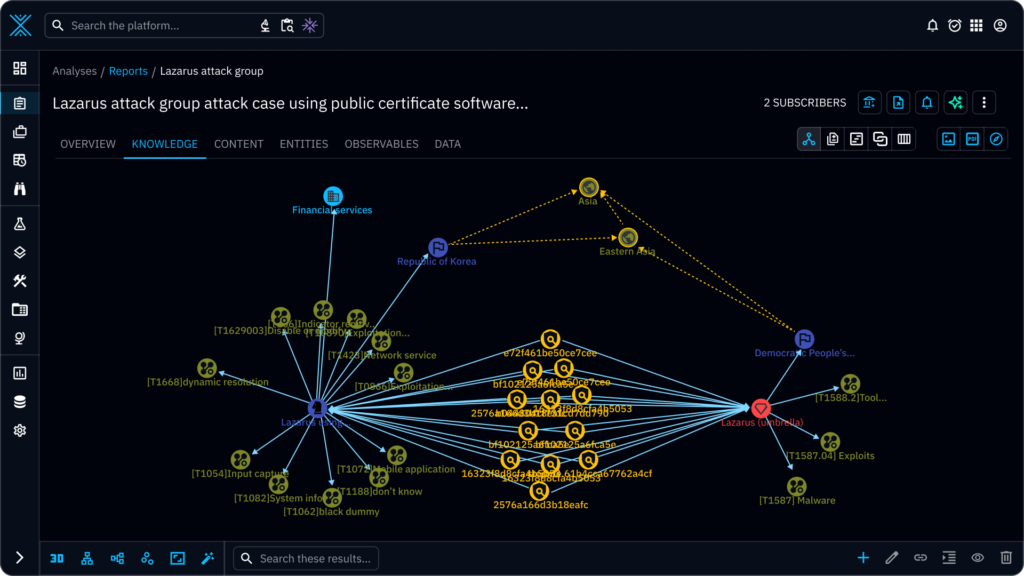
In OpenCTI, you can model:
- the CIFs themselves (for example, payment processing, treasury, core banking),
- the applications and infrastructure that support them, and
- the external cloud, telecom or other ICT providers they depend on.
You can then link those elements to relevant threats and observed incidents. This becomes a dynamic scope model that can be shared with the TLPT control team, test managers and external providers, and updated between test cycles as your architecture evolves.
3. A memory of every TLPT and what you learned
TIBER-EU-style TLPT produces a rich set of artefacts: the targeted threat intelligence report, the red-team test plan, red-team and blue-team reports, and finally a test summary report and remediation plan.
Instead of leaving those in disconnected PDFs and slide decks, OpenCTI lets you store them as structured reports tied to:
- the specific attack techniques used,
- the CIFs and systems that were affected, and
- the mitigations you chose.
Over time, this gives the SI and the ECB a clear lineage from one TLPT cycle to the next: how scenarios evolved, which weaknesses kept recurring, and where resilience really improved.
OpenAEV: Turning Intelligence into Real Attacks and Real Improvement
If OpenCTI is the intelligence and memory layer, OpenAEV is where tests become real. OpenAEV is Filigran’s Adversarial Exposure Validation platform, built to move beyond occasional manual penetration tests towards continuous, threat-informed validation.
For DORA TLPT, OpenAEV plays three key roles:
1. From narrative scenarios to executable attack paths
The ECB describes TLPT as “intelligence-led red-team tests” on critical live production systems, mimicking real-world attackers.
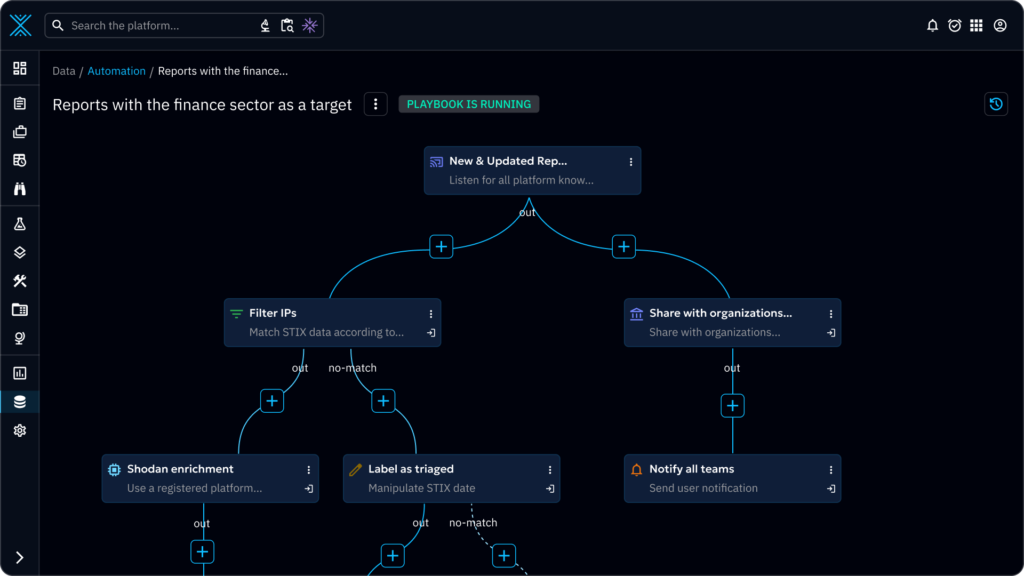
OpenAEV takes the prioritised threats and attack chains defined in OpenCTI and turns them into MITRE ATT&CK-mapped scenarios that can actually be executed in your environment. External red-team providers can use OpenAEV as a common execution layer to:
- encode their attack paths once,
- reuse them across rehearsal, live testing and re-tests, and
- ensure consistency when the same scenario is replayed months later.
This brings discipline and repeatability to an activity that is too often artisanal and opaque.

2. Safe but realistic testing on live systems
DORA expects TLPT to be carried out on live production systems while still protecting the bank and its customers.
OpenAEV is designed to respect that balance. Agents and integrations with existing security tools let you run realistic simulations that exercise your defences – from endpoint and network controls to identity systems – while maintaining strict control over what is executed and where. Recent product updates even support different privilege levels and post-compromise actions so that tests more accurately reflect how real attackers move.
3. Measuring resilience and making it visible
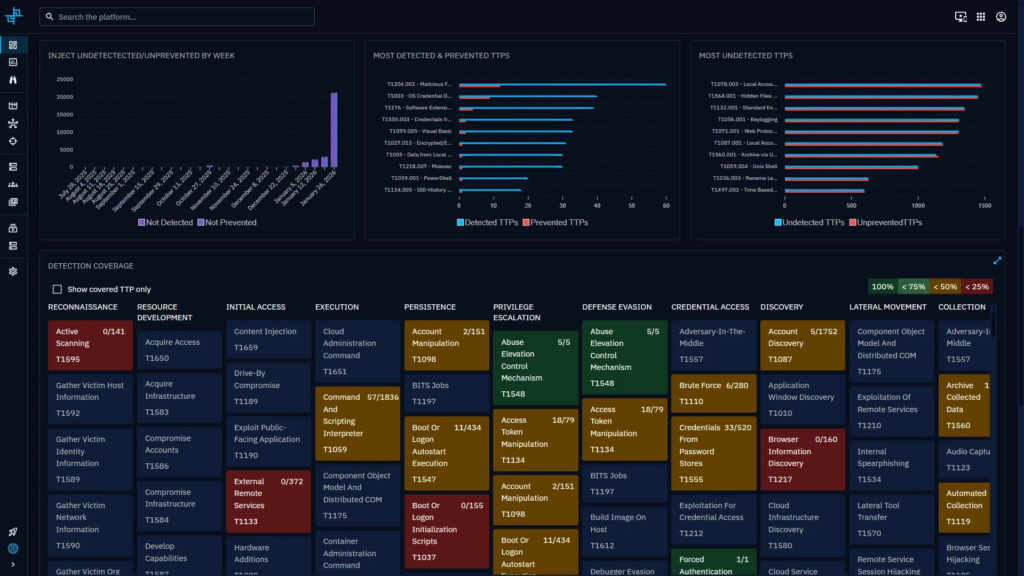
Perhaps the most important contribution to DORA implementation is OpenAEV’s ability to measure the effect of TLPT and subsequent remediation.
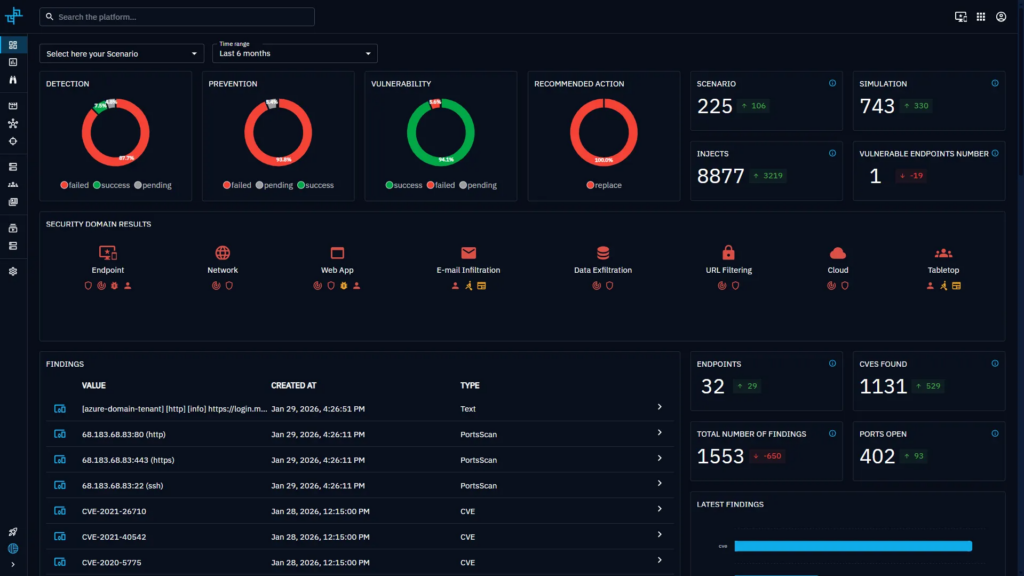
For each scenario, OpenAEV can show:
- which steps were detected and how quickly;
- which actions were blocked;
- where attackers could still progress; and
- how that picture changes after you tune controls or change processes.
Those metrics translate directly into the narrative and evidence that SIs must provide when seeking an ECB attestation after a TLPT: not just “we ran the test”, but “here is how our detection and response have improved as a result”.
From Three-Year Exam to Continuous Resilience
The ECB is very explicit that a correctly performed TLPT should be a learning experience for the institution and an effective supervisory tool, helping SIs “achieve a higher level of cyber maturity”.
OpenCTI and OpenAEV make that ambition tangible.
Instead of treating TLPT as a disruptive project every three years, you can:
- keep your view of threats and critical assets current in OpenCTI;
- run smaller-scope, TLPT-inspired scenarios in OpenAEV between formal tests;
- use each regulatory TLPT as a milestone in a continuous exposure-management cycle, not as an isolated event.
When the next mandatory TLPT comes around, you are not starting from scratch. You are iterating on a programme that already runs, with data and history to prove it.
The result is not just better compliance with Articles 26, 27 and 46 of DORA. It is a demonstrably stronger, more agile security posture that regulators, boards and customers can understand.
A Final Note
If you are responsible for DORA implementation or TIBER-EU TLPT in a European bank and want to see how this looks in your environment, Filigran can walk you through concrete architectures and use cases based on OpenCTI and OpenAEV – from first scoping discussions with the ECB to the evidence pack behind your next attestation.
However, most SIs will not walk this road alone. Many will lean on consulting firms, systems integrators and other service providers with accredited red teaming capabilities to design and deliver DORA and TIBER-EU services – from readiness assessments to “TLPT-as-a-service”. For those partners, OpenCTI and OpenAEV are a natural foundation for repeatable, industrialised offerings across multiple clients. Think of it as DORA resilience services, powered by Filigran.
Sources:
Read more
Explore related topics and insights