Build your table-top scenario with OpenAEV

Jean-Baptiste Orozco
Product Owner - OpenAEV
-
 Copied!
 -
Copied!
-
Copied!



Tabletop exercises (TTXs) offer a powerful, low-cost, and low-risk method to prepare your teams before a real cyber incident strikes. These exercises are critical for testing incident response plans, identifying gaps, and improving coordination across teams.
This article will guide you through the essential steps of creating your own impactful tabletop simulation, from defining objectives and crafting compelling scenarios to facilitating productive discussions and leveraging the lessons learned for continuous improvement.
For this exercise, we will focus on a ransomware attack scenario. This highly relevant and pervasive threat provides an excellent scenario to evaluate an organization’s preparedness across multiple domains, including technical response, communication protocols, and business continuity.
TL;DR
- Ransomware tabletop exercises (TTXs) are essential for testing incident response, improving communication, and identifying organizational gaps.
- Using OpenAEV, you can easily design, run, and evaluate realistic simulations with dynamic injects, team coordination, and custom evaluation criteria.
- Focus on key roles like IT, legal, PR, and executive leadership to ensure comprehensive and actionable scenarios.
- Post-simulation analysis, feedback, and automated reporting help drive continuous improvement and share best practices across the organization.
Planning a ransomware attack scenario
Define your objectives
One of the challenges with current TTXs is lack of clearly defined objectives or outcomes. What exactly are your trying to test? For a ransomware simulation, your could emphasize the following areas:
- Evaluating the effectiveness of current incident response plans: Does the existing plan adequately address the many facets of a ransomware attack, from technical remediation to legal and public relations considerations?
- Assessing communication protocols and decision-making processes: How effectively do internal teams (IT, legal, HR, executive leadership) communicate and make decisions during a crisis? Are external communication strategies (customers, media, regulators) well-defined?
- Identifying gaps in technical controls and recovery capabilities: Does the organization possess the necessary tools and procedures to detect, contain, and eradicate ransomware? Can critical systems and data be recovered efficiently and completely?
- Testing business continuity and disaster recovery plans: How resilient are business operations in the face of a significant outage caused by ransomware? Can essential functions be maintained or quickly restored?
- Enhancing team coordination and roles clarity: Do all team members understand their responsibilities and how their actions contribute to the overall incident response effort?
Construct a good team
Identifying the right participants is crucial for a comprehensive and realistic exercise. Players should represent the key stakeholders who would be involved in a real ransomware incident. For this simulation, consider including:
- Incident Response Team (Technical): IT security specialists, network administrators, system administrators, and forensic analysts who would be directly involved in the technical aspects of detection, containment, and recovery.
- IT Leadership: CIO, CISO, and IT managers responsible for strategic oversight and resource allocation.
- Legal Counsel: Internal or external legal experts who can advise on compliance, data breach notification laws, and potential legal ramifications.
- Communications/Public Relations: Individuals responsible for drafting internal and external communications, managing media inquiries, and protecting the organization’s reputation.
- Business Unit Representatives: Leaders from critical departments (e.g., finance, operations, human resources) who can articulate the business impact of the attack and provide insights into recovery priorities.
- Executive Leadership: CEO, COO, or other senior executives who would make high-level decisions regarding the organization’s response and recovery.
- Human Resources: To address employee-related concerns and communications.
Preparing your scenario with OpenAEV
Define your targets in OpenAEV
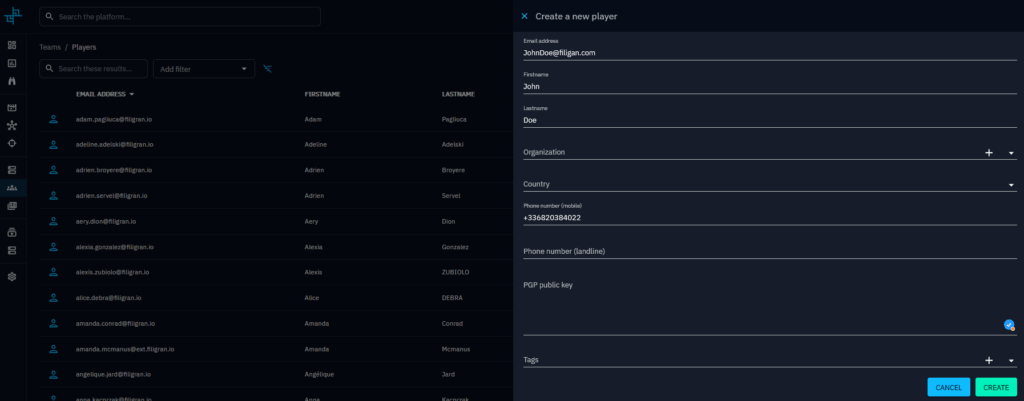
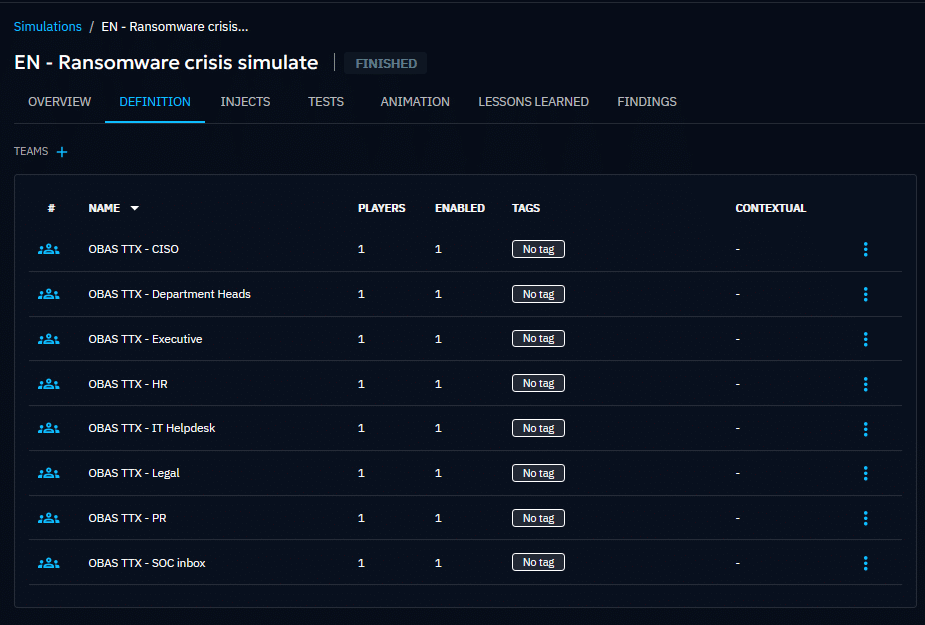
Based on the players you chose for your simulation you just have to register them to the OpenAEV platform and assign them to the functional teams.
Create your injects
Injects are pre-scripted pieces of information or events, introduced by the facilitator at strategic points, designed to mimic the dynamic and unpredictable nature of a real-world incident. They will progressively unfold during the simulated scenario and challenge participants.
Each inject compels participants to react, make decisions, and test their plans and communication protocols under evolving pressure, ultimately revealing strengths and weaknesses in their response capabilities.
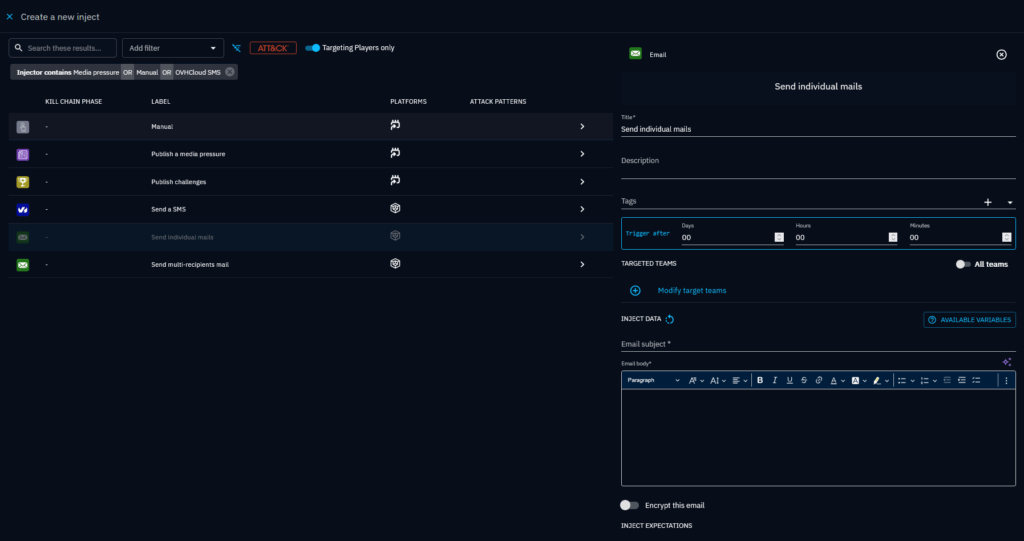
With OpenAEV you will have access to a range of injects to animate your scenarios:

- Individual email or group email: Simulate new information coming from different sources to put your players in a real crisis situation
- SMS: Similarly, you can leverage SMS to get your scenario closer to real crisis situations
- Media pressure: Simulate information coming from media sources such as press articles, tweets
- Challenges: Send question to your players that they will need to answer correctly to progress
- Manual injects: These are placeholders letting you track actions out of the scope of our injects, for example the creation of a crisis cell during the exercise.
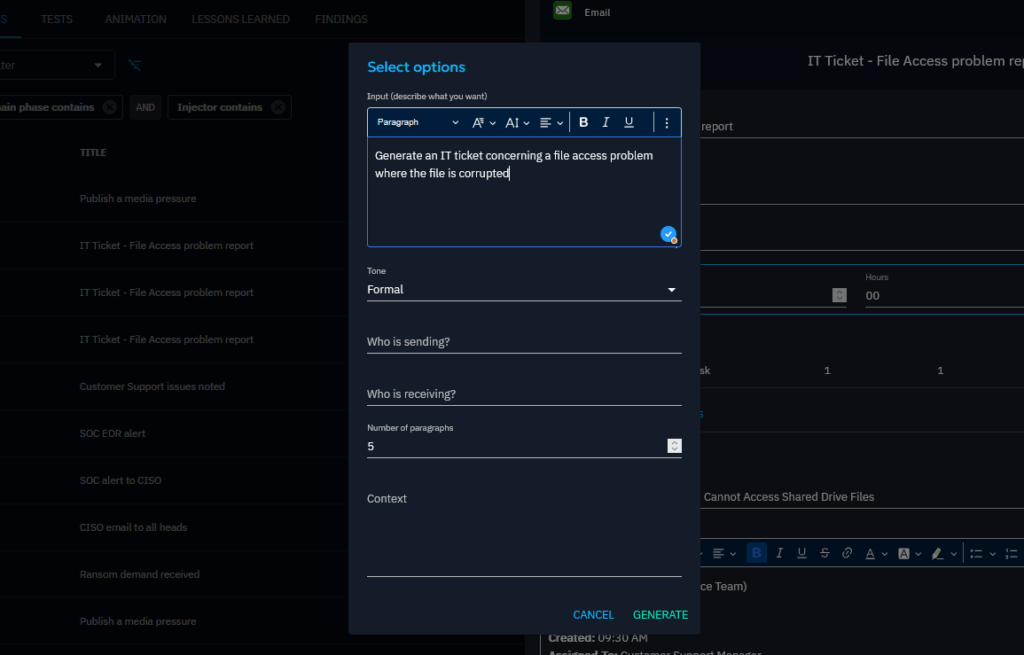
To help you with content creation, you can ask Ariane AI, our AI assistant, to generate content based on a prompt.
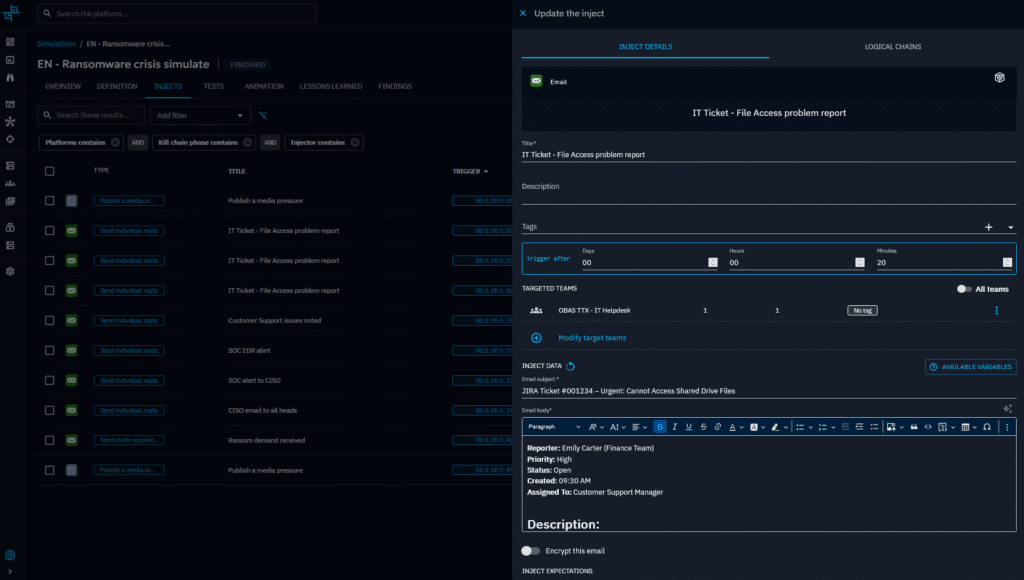
Once the content of your inject is ready, assign it to the relevant functional teams and schedule it to complete the inject.
Define expectations of your injects
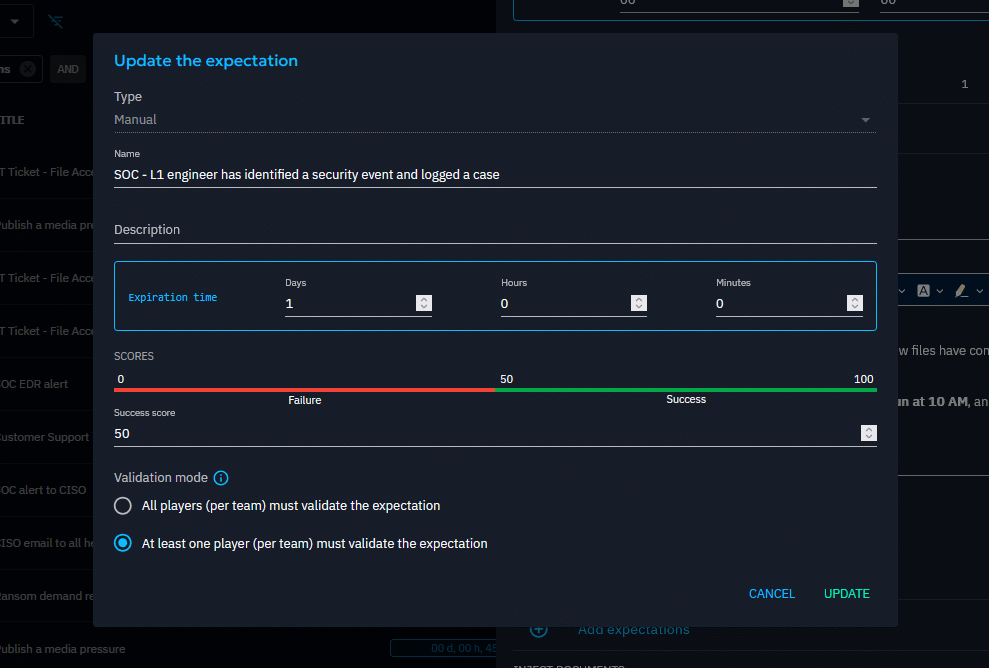
Expectations are criteria of evaluation that you can attach to inject, they are not mandatory but are very much recommended. They are key to assessing the success of your teams and identifying what best practices to implement.
You can add expectations as parameters of your injects:
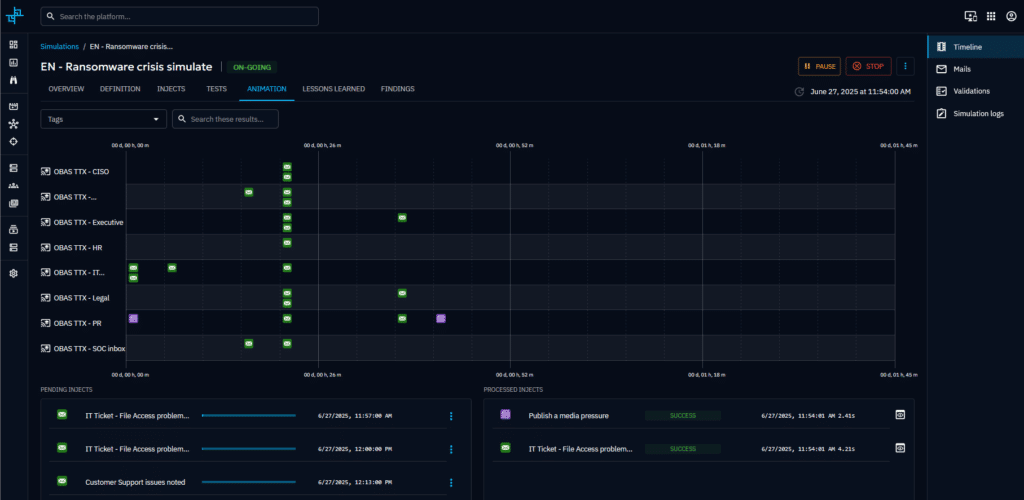
Once you have created your injects, you can use the animation view to visualize how your scenario will unfold and how your teams will be impacted on a timeline.
XLS imports
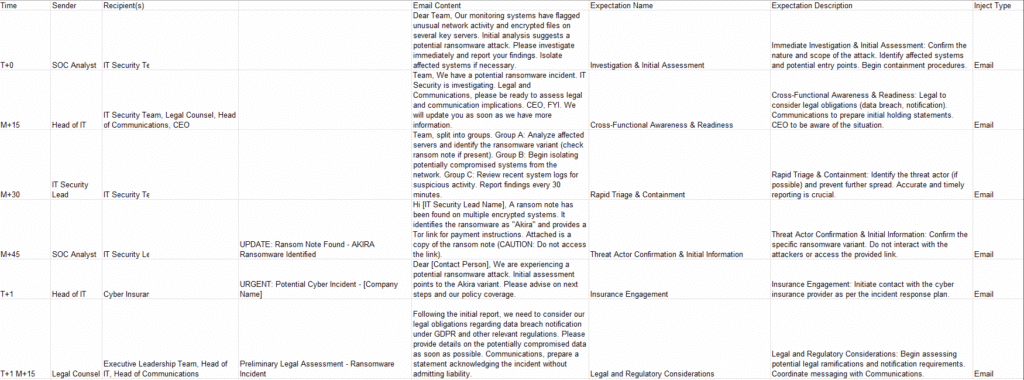
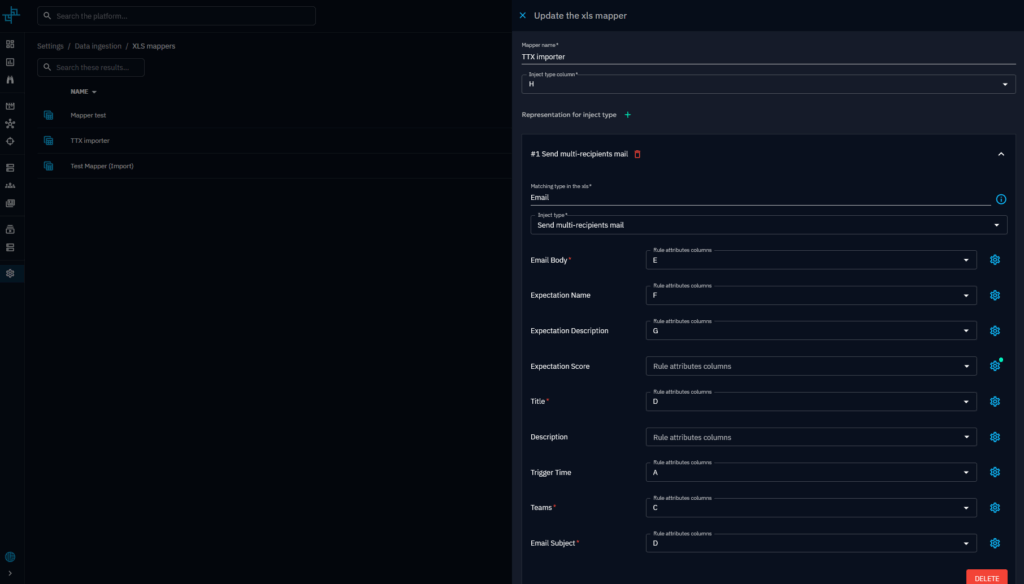
Alternatively, you can import your whole scenario, add your teams and set your expectations using our XLS mapper. You will need to provide in input an .xls chronogram of your scenario and create a mapper to ingest correctly the data.
Running your simulation
Launch your scenario
OpenAEV allows you to manually launch the scenario, or schedule it to automatically begin at a specific date/time.
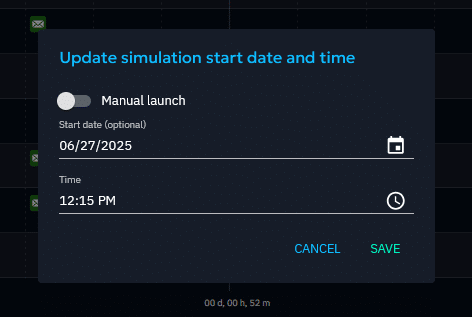
Animate the exercise
During the session you, as an evaluator, can interact with the players:
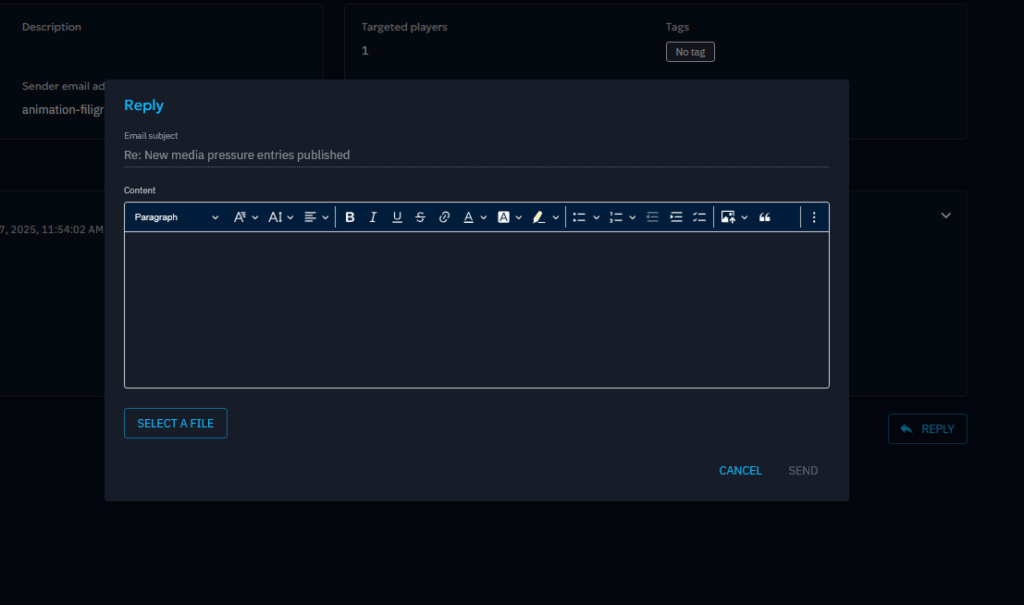
- You can reply to their email, giving them new pieces of informations based on their needs, making the whole scenario even more realistic.
- You can also generate and include new injects on the fly so you can adapt your scenario to any context.
Assessing your incident response
Evaluate expectation
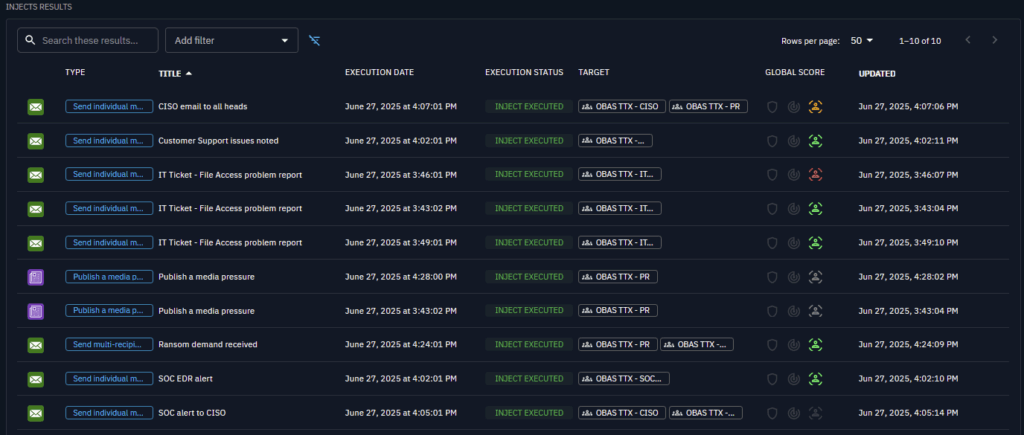
During or after your scenario, assess the performance of your teams by evaluating your expectations based on your team response.
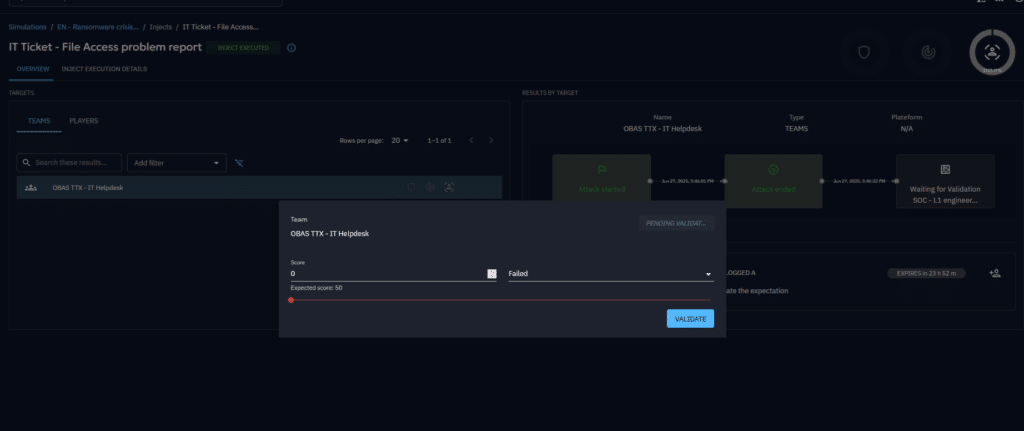
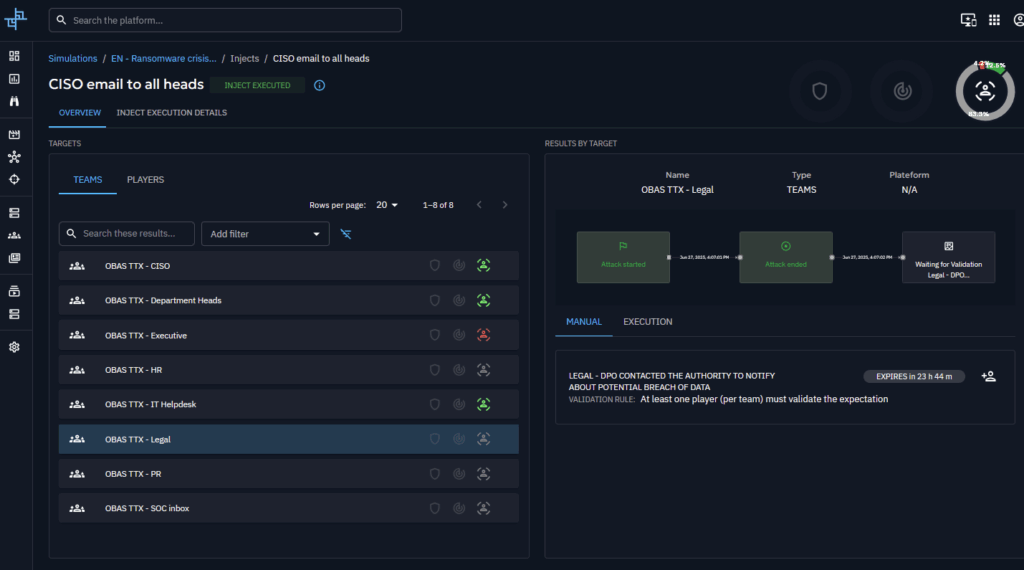
Once all evaluations have been completed, you will get an overview of your teams performances, this will view will highlight what was covered correctly, and a direction for improving your processes.
Get valuable feedback from your team
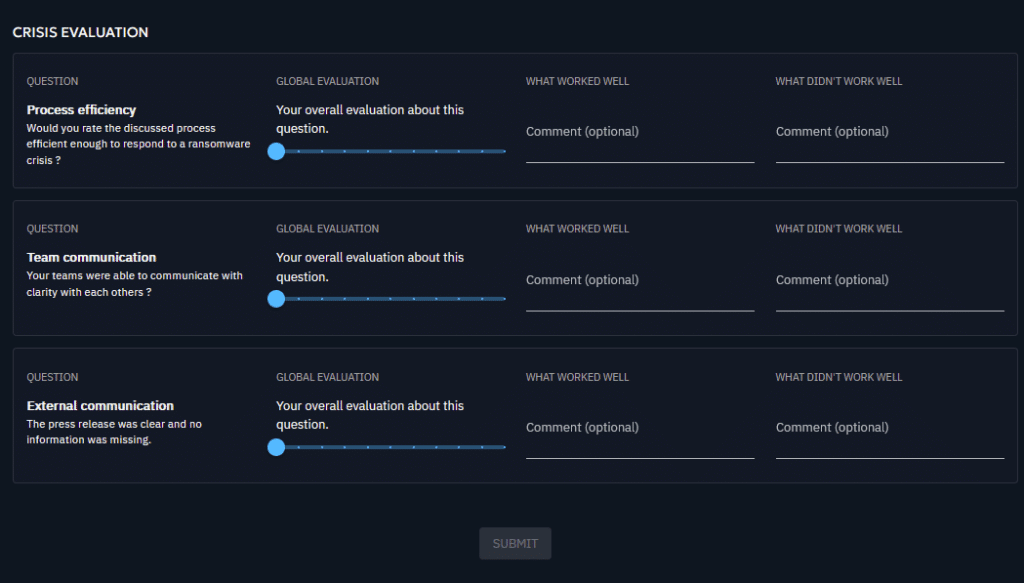
To gather your players’ feedback and to get contextual insights about their experience, OpenBAS allows you to send surveys and centralize the feedback in your simulation page.
Generate reports and communicate best practice to your stakeholders
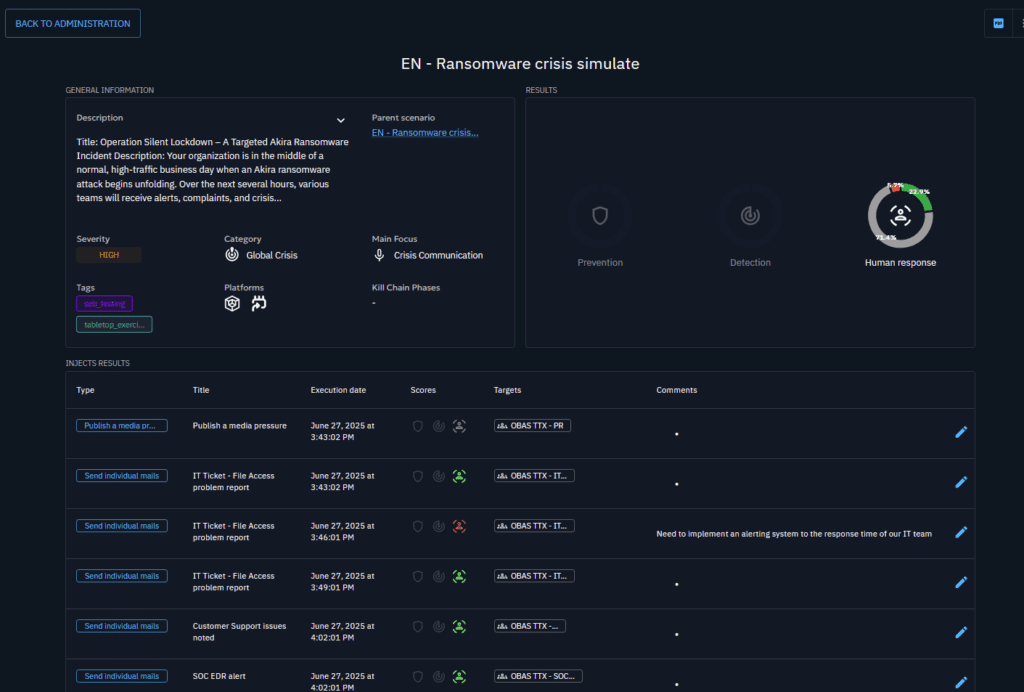
Last but not the least, it is important to share the results of your simulation with your teams and different stakeholders to communicate best practices, highlight room for improvement in your processes and recommended next steps.
You will be able to do so directly from within OpenAEV through our report capability that will aggregate the results of the simulation, allow you to add comments on any specific inject, detail notes about the whole simulation, and to export everything as a PDF report.
Conclusion
TTXs are an indispensable tool for fortifying an organization’s resilience against cyber threats. By providing a low-risk environment to simulate high-stress scenarios, they are not merely preparatory but transformative. Traditionally, conducting such exercises has been cumbersome as they involve technical and non-technical stakeholders to simulate a full-spectrum response. Scenarios may also not reflect the complexity of real-world cyber threats (e.g., ransomware, insider threats, supply chain attacks). However, with the advancement of intuitive and comprehensive Adversary Exposure Validation (AEV) tools like OpenAEV, conducting realistic TTXs is well within everyone’s reach.
Ultimately, investing in regular table-top exercises is a proactive measure that cultivates a well-prepared team and robust, adaptable processes—essential components for navigating and mitigating the potentially devastating impact of a ransomware attack.
Test OpenAEV today by requesting an access to our demo instance.
Enjoy and feel free to ask any questions about it on our Slack community channel !
Read more
Explore related topics and insights